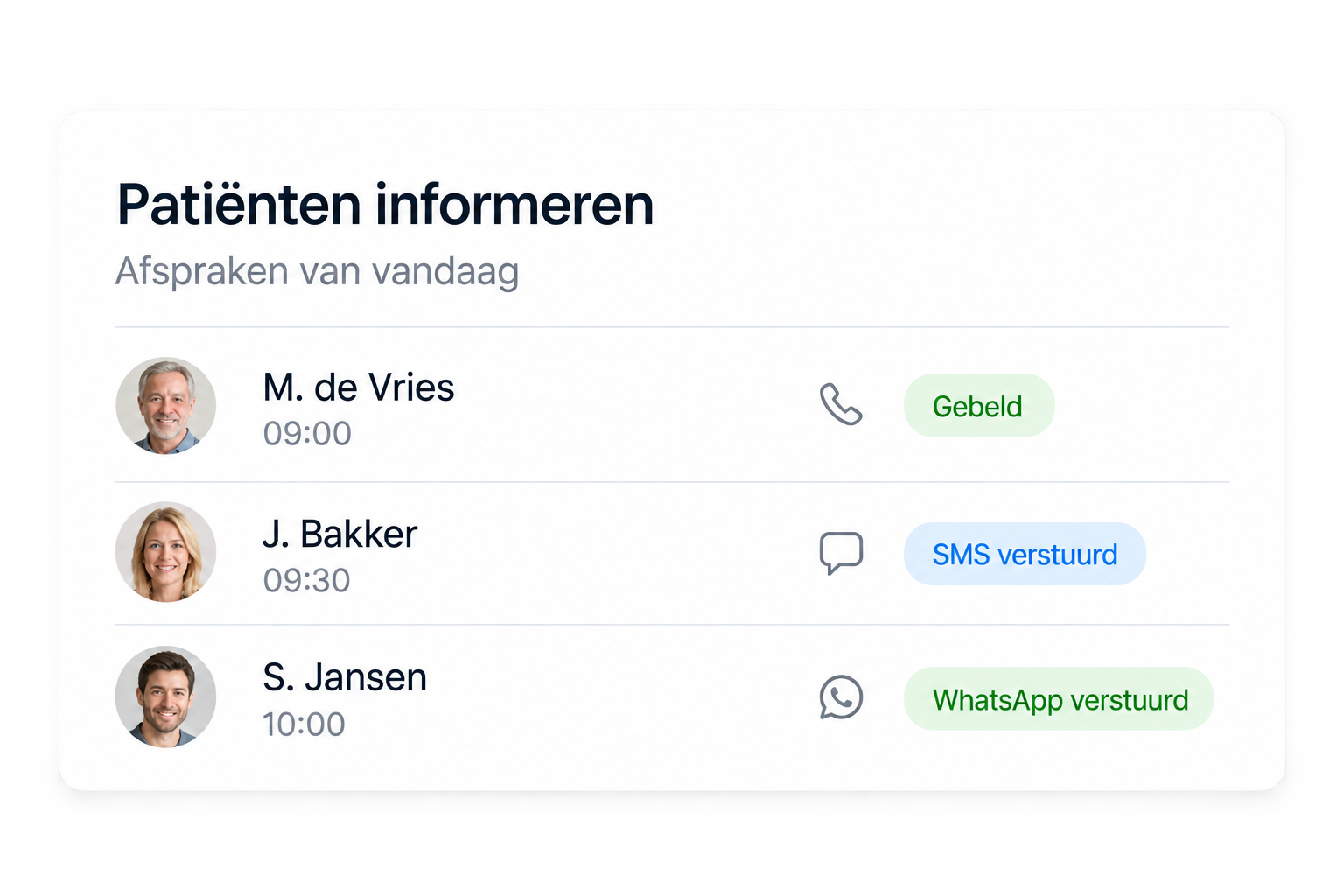







In your own schedule
Books, reschedules and confirms straight into your PMS schedule, following your own scheduling rules.
A front-desk shortage is not solved with more vacancies. We set Eva up around your own practice rules and schedule, so your team gets capacity back without adding headcount.
Hear Eva live





Book a call, we connect your practice software during onboarding and you pick the start date.
We go through your practice, your software and what Eva will take over at the front desk. Afterwards you know exactly what changes and what does not.
During onboarding we connect Eva to your PMS and set appointment types, durations, urgent cases and transfers. Everything is tested before Eva answers.
You pick the day. Eva answers and books straight into your own schedule; we follow the first conversations together with your team.
With a PMS connection Eva books appointments straight into your schedule. Without one, she works as a smart assistant at your front desk.
All connections







No second calendar and no retyping. Eva answers, books and confirms directly in the schedule your team already works in; nothing new to keep in sync.
Books, reschedules and confirms straight into your PMS schedule, following your own scheduling rules.
Yours, and no second set. Eva plugs into your existing flows instead of adding a second system.
Complex calls reach your team with full context, ready to pick up in the PMS.
A good AI receptionist improves quickly when real conversations come in. We use the first weeks to fine-tune the setup around your patients, your team and your edge cases.
First two weeks
Short feedback loops, dashboard checks and direct updates to flows that need sharpening.
Fixed contact person
You always have one fixed contact person during implementation and the first operational weeks.
Short lines
Our technical team is on standby and responds within 24 hours, so small questions do not slow down the front desk.
Eva works inside your practice software, with access to what she needs and every change visible to your team.

Access you approve
Eva looks up patients and appointments and books in your practice software. The connection goes live only after your approval.
Processed and stored inside the EU
Patient data is processed and stored in European data centres, under a data processing agreement with your practice.
GDPR, EU AI Act and ISO 27001
Eva works within the GDPR and the EU AI Act, on hosting and processes that follow ISO 27001.
Every appointment change visible
What Eva books, moves or cancels appears straight in your own schedule and in the dashboard, so your team always sees what happened.
Everything practices ask us before Eva goes live.
Plan an implementation demoIn a demo we map your current front-desk flow and show what implementation would look like for your team.
Plan an implementation demo